
eSIM vs Physical SIM: Differences That Matter for Travelers
Christian HahnkeTech Enthusiast
Published:
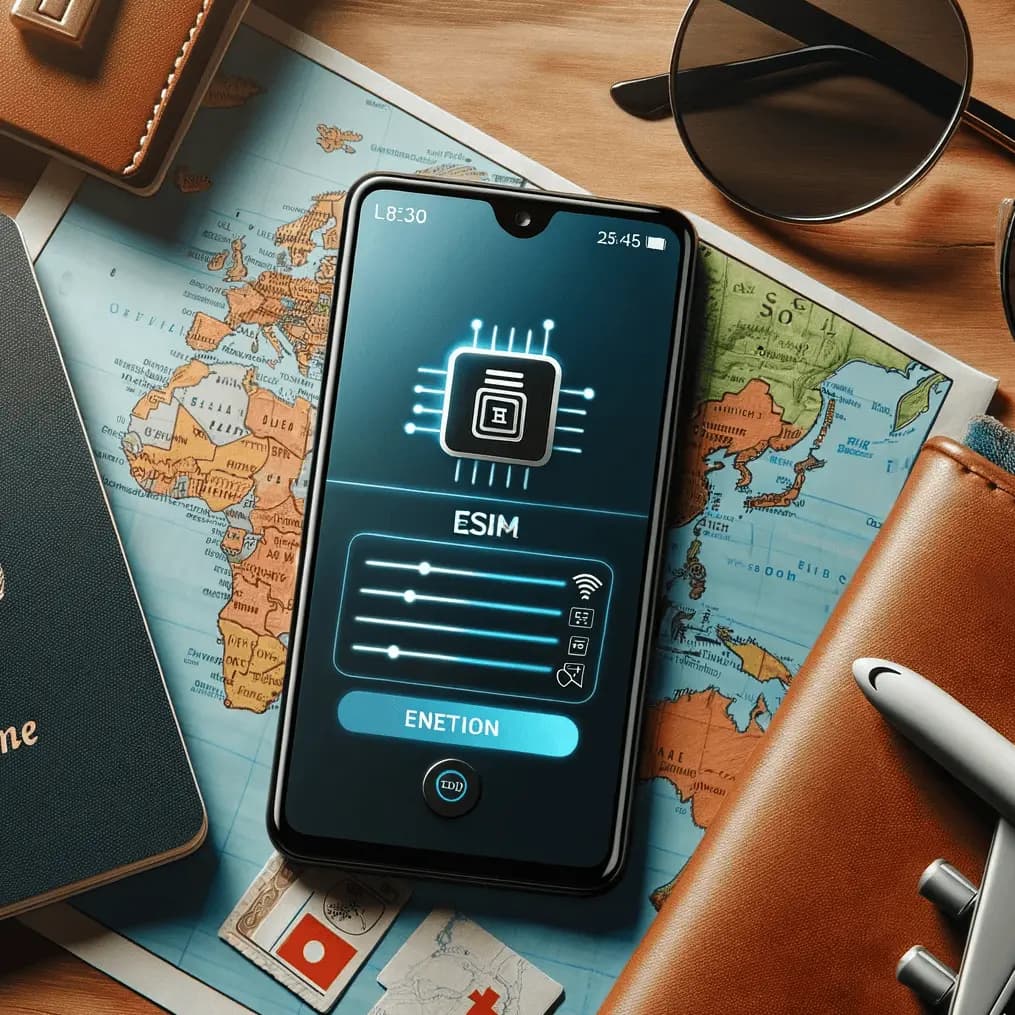
Staying connected when you travel abroad is essential, but figuring out the best way to do it can be confusing. Should you stick with a traditional physical SIM card or try the newer eSIM technology? This friendly guide will break down what each one is in simple terms and highlight the key differences that matter most for international travelers. We’ll also include some handy tips – like how to set up an eSIM before your trip and how to choose the right mobile data plan – so you can enjoy your adventures without worrying about phone connectivity.
What is a Physical SIM Card?
A physical SIM card is the small plastic chip (usually a nano-SIM these days) that you into your phone to connect to a mobile network. It contains your subscriber information and lets your device get voice, text, and data service from your carrier. For decades, travelers have been swapping out physical SIM cards to get local service in different countries. You might have a collection of tiny SIMs from past trips – each one representing a local carrier plan. Physical SIMs are portable and work in any unlocked phone, but they’re also easy to lose and can only hold one network plan at a time. To use a new one, you have to pop out the old card and the new SIM card (often using a tiny pin to open the SIM tray).
Key points about physical SIMs:
• It’s a removable chip that goes into your phone’s SIM card slot.
• One card = one network plan. If you want to change carriers or numbers, you need to physically swap cards.
• Almost all phones (even older models) have slots for physical SIMs, so compatibility is rarely an issue as long as your phone is unlocked (not tied to one carrier).
• Physical SIM cards can be bought at mobile shops, kiosks, and airports worldwide, often for cash. They’re a proven, reliable solution but can be a bit of a hassle when hopping between countries.
What is an eSIM?
An eSIM (embedded SIM) is a built-in digital SIM that’s embedded in many newer smartphones and devices. “Embedded” means it’s not a physical card you can hold – it’s a small chip soldered inside your phone. With eSIM, you don’t or replace anything; instead, you download a mobile plan (a carrier profile) directly onto your phone. This is usually done by scanning a QR code or installing an app provided by the carrier or eSIM service. In short, an eSIM lets you change carriers or activate a new data plan through software settings, without fumbling with any tiny cards.
Key points about eSIMs:
• It’s a digital SIM profile built into your device – no physical card needed.
• Multiple plans can be stored on one eSIM chip (though typically only one or two can be active at a time, depending on your phone). This means you could have, for example, your home network plan and a travel data plan on the same phone simultaneously.
• Activation is software-based: you usually scan a QR code or use an app to add a new plan. It can be done anytime, anywhere – even from your couch before you depart, or in the middle of a foreign country without visiting a store.
• Only newer devices support eSIM. Most flagship phones from the last few years do (more on compatible models below), while very old or budget devices might not. Also, not every carrier in every country offers eSIM support yet – but the list is growing fast.
eSIM vs Physical SIM: Key Differences for International Travelers
When you’re traveling internationally, certain practical differences between eSIMs and physical SIMs really stand out. Both options will get you mobile data and calls, but how you obtain and use them can affect the ease of your trip. Here are the top differences that matter for travelers:
Ease of Purchase and Setup
Physical SIM: Buying and activating a physical SIM in a new country can take a bit of legwork. You might have to find a local mobile shop or airport kiosk after landing, possibly wait in line, show your passport, and pay in local currency. Setting it up means swapping out your home SIM (being careful not to lose it!) and inserting the new one. In most cases, the phone will auto-configure, but sometimes you need to fiddle with settings or enter an APN for data. It’s not extremely hard, but it does eat up time – time you could be out exploring.
eSIM: Getting an eSIM is usually instant and convenient. You can purchase an eSIM data plan online before you fly or even while sitting in your hotel, and the activation details (often a QR code or activation code) are delivered to you digitally. There’s no need to visit a store. To install, you just follow a few on-screen steps on your phone – usually scanning a QR code in your cellular settings or installing via the provider’s app. The setup is done in minutes. This means you can arrive at your destination with mobile data already working on your phone. No more hunting for a SIM vendor or struggling with foreign languages to get connected. For travelers, that ease of setup can be a game-changer, especially after a long flight.
Why it matters: With an eSIM, you can hit the ground running as soon as you land – call a rideshare, pull up maps, or message your family that you arrived safely. The convenience of not having to physically swap SIMs (and the peace of mind of not risking losing your primary SIM) is a big plus when traveling.
Switching Networks and Flexibility
Physical SIM: If you want to change carriers or use a different local network, you have to obtain and a new physical SIM card. This means carrying multiple SIM cards if you’re traveling through different countries, and physically changing them each time you cross a border or decide to switch providers. It’s doable, but not very agile. You also need to keep track of those tiny SIM cards (it’s easy to misplace one in the shuffle of travel).
eSIM: With eSIM, your phone can store multiple network profiles at once, and you can switch between them right from your phone’s settings. For example, imagine you’re doing a multi-country tour: you could purchase an eSIM plan that covers all your destinations, or even separate eSIM plans for different countries, and load them all on your phone ahead of time. When you move from one country to the next, you simply the appropriate plan in your settings – no physical swapping required. Some eSIM services also allow over-the-air plan changes, meaning if you run out of data or find a better deal, you can buy and activate a new plan on the fly.
Why it matters: This flexibility is fantastic for travelers visiting several countries or anyone who might need to switch networks for better coverage. You won’t need to carry a SIM card stash or a SIM ejector tool everywhere. It’s also a relief in scenarios like discovering your current SIM has poor signal – with eSIM you could quickly switch to another provider’s plan if available, without going to a store.
Dual SIM Support and Staying Connected
Many modern phones support dual SIM functionality, which lets you have two active lines on one device. Here’s how each SIM type plays into that:
Physical SIM only: Some phones have two physical SIM slots, but those are less common globally (and having two physical SIMs means managing two tiny cards). If your phone has a single SIM slot (which is most phones), you’re limited to one physical SIM at a time. That means when you travel, you might remove your personal/home SIM to use a local one, potentially missing calls or texts sent to your regular number while it’s out.
eSIM (with physical SIM): If your phone supports eSIM, you can often use one eSIM in addition to your physical SIM. This is incredibly useful for travelers. For instance, you can keep your home SIM card in the tray for emergencies or important texts (just keep it on but with roaming/data off to avoid charges), and use an eSIM for an affordable local data plan simultaneously. Your phone lets you choose which SIM is used for data, calls, or texts.
eSIM only (dual eSIM): Some newer phones (and eSIM-only devices like certain iPhones) allow multiple eSIM profiles and even dual active eSIMs without any physical SIM at all. This means you could load, say, two eSIM plans (perhaps one for Region A and one for Region B) and switch between or even use both (one for voice, one for data, etc., depending on the device capabilities).
Why it matters: Dual SIM capability with eSIM gives you the best of both worlds. You don’t have to choose between staying reachable on your home number or having cheap local data – you can have both. For example, you can receive banking SMS codes or important calls on your usual number while still enjoying a local data plan for Google Maps and Instagram on the trip. It’s a huge benefit for international travelers who need to stay connected back home and at their destination concurrently.
Security and Safety
Physical SIM: A physical SIM card can be lost or stolen, just like any small item. If someone nefarious gets hold of your SIM card, they could potentially access your phone number (and if you haven’t protected it with a PIN, do things like receive your calls or texts). There have even been cases of SIM swap fraud, where someone tricks or uses a stolen SIM to take over your phone line. Additionally, when you’re frequently swapping SIM cards while traveling, there’s a small risk of misplacing one – possibly losing access to your home phone number until you can get a replacement. On the reliability side, physical SIMs can occasionally get damaged (scratches on the chip or dust on contacts) which might cause connection issues.
eSIM: Because an eSIM is embedded in your device, it cannot be physically removed by a thief. If your phone is secured with a password or biometric lock, an eSIM profile inside is protected as well. This makes eSIM inherently safer from theft in the sense that someone can’t just pop it out and hijack your service. It also eliminates the risk of losing the SIM card since there’s no separate card to keep track of. In terms of privacy, using eSIM profiles means any data that would have been on a SIM card (like contacts or SMS stored on SIM) stays on the phone or in the cloud, rather than on a removable chip. That said, normal precautions still apply – for example, if your phone itself is stolen, you’d want to contact your carrier or eSIM provider to disable the eSIM (just as you’d report a stolen physical SIM/phone to prevent misuse).
Why it matters: Travelers often find themselves in unfamiliar places, and having one less thing to physically secure (a tiny SIM) is a relief. With eSIM, there’s no chance of “Oops, I dropped my SIM card under the airplane seat” or “Someone snatched the SIM out of my phone”. Additionally, eSIM profiles can sometimes be remotely wiped or managed, adding an extra layer of control if something goes wrong. Overall, eSIM offers a more secure and resilient way to keep your mobile service during travel.
Device Compatibility
Physical SIM: Virtually any unlocked phone (and even many locked ones when using their designated carrier’s SIM) will work with a physical SIM card. The technology has been standard for decades. As long as the phone’s frequency bands are compatible with the local networks, you can use a physical SIM in it. For travelers, this means you can buy a local SIM in almost any country and it will work in your phone, provided your device is GSM/LTE compatible and not restricted by your original carrier. However, one important note is your phone must be network unlocked if you want to use foreign SIMs (e.g., a phone bought on contract from a carrier might not accept another carrier’s SIM until it’s unlocked). In summary, physical SIMs win on device compatibility because the vast majority of phones and even tablets accept them.
eSIM: eSIM support is limited to newer devices. If you have an older phone (generally older than 2018 or so), it likely won’t have eSIM capability. Most flagship models in recent years do include eSIM, though, and the trend is growing. For instance, Apple’s iPhone XR/XS (2018) and later have eSIM (in fact, U.S. versions of iPhone 14 and newer are eSIM-only with no physical SIM tray). Many Google Pixel phones from the Pixel 3 onward support eSIM. Samsung introduced eSIM in models like the Galaxy S20 and later, and in recent Galaxy Note and Fold devices. Other brands like Huawei, Motorola, and Oppo have some models with eSIM as well. It’s important to check your phone’s specifications or settings to see if eSIM is supported. Additionally, carrier support matters: even if your phone is eSIM-capable, the carrier or eSIM provider must support your device. The good news is that for travel eSIM services, they generally support any unlocked eSIM-capable phone regardless of your home carrier. Just ensure you your phone’s software to the latest version, as eSIM functionality sometimes requires up-to-date system software.
Why it matters: Before you bank on using an eSIM for your trip, you’ll need to confirm your device can actually do it. If not, you may have to stick with physical SIM cards for now. On the flip side, if you do have a compatible phone, eSIM opens up a new world of convenience. As device makers are quickly adopting eSIM (some even removing physical SIM slots entirely), it’s likely your next phone will support it if your current one doesn’t.
Physical vs. Digital Convenience (No More Tiny Cards!)
One more practical difference to mention is the physical aspect itself:
With a physical SIM, you’re dealing with a tiny piece of plastic. Travelers often need to carry a SIM ejector pin (or improvise with a paperclip) to open the SIM tray. There’s the danger of dropping that minuscule SIM card on the airplane floor or fumbling with it in a taxi. And if you like to keep your old SIM cards as backup, you have to store them safely (some people tape them to a piece of paper or keep a little case). Physical SIMs can also get misaligned or require trimming if you encounter different sizes (nano, micro) – though most nowadays are nano-SIM.
With an eSIM, everything is handled digitally. You never have to handle a small card or carry pin tools. This not only saves hassle but also means no wear and tear or damage can occur to a non-existent card. Plus, there’s an environmental benefit: using eSIM means less plastic waste (no card and no packaging that comes with a new SIM). For long-term travelers or frequent flyers, not accumulating a pile of plastic SIM cards and brochures is a nice bonus.
Why it matters: The physical simplicity of eSIM appeals to anyone who’s ever juggled multiple SIM cards. It’s one less small item to manage. While a physical SIM is not heavy or big, the inconvenience of swapping and the risk of losing it are notable. Going digital with eSIM makes the process of staying connected as you travel feel more seamless and modern – a quick settings tweak instead of a mini hardware operation.
Performance and Coverage (Equal on Both)
It’s worth noting that network performance (signal strength, data speed) is generally the same with eSIM and physical SIM. Using an eSIM doesn’t mean you get a weaker signal – they both connect to the same networks with the same radio technology. What matters for coverage or speed is the carrier you choose and the network infrastructure in that area, not the SIM format. So, when comparing eSIM vs physical SIM, focus on convenience and features, because technically your phone’s connection quality will be comparable with either, as long as you’re on a good network. For travelers, that means you should pick a solution that offers good coverage in your destinations – whether that’s a local SIM or an eSIM plan that partners with local networks. (Pro tip: many travel eSIM providers partner with multiple networks in each country and will switch to the best signal automatically, which can be an advantage in unfamiliar areas.)
Now that we’ve covered the main differences and features, let’s look at how you can take advantage of eSIM for your next trip, and what practical steps to consider before you fly.
How to Get an eSIM Before You Fly
One of the best things about eSIM for travelers is that you can set it up ahead of time. Here’s a simple step-by-step on how to get an eSIM ready for your trip:
1. Check your phone for eSIM support: First, verify that your smartphone supports eSIM. You can do this by looking in your phone settings (for example, on iPhone go to Settings > Cellular > Add Cellular Plan and see if it lets you add an eSIM, or on Android look for SIM manager or Mobile Network settings for an “Add eSIM” option). You can also check the manufacturer’s specs online. (See the next section for a list of compatible phones.) If your device doesn’t support eSIM, you’ll have to stick with physical SIM cards for now.
2. Choose an eSIM provider or plan: Many companies (including us) offer travel eSIM plans for international data. You’ll want to find a plan that suits your destination and data needs. For example, you might a 10GB plan for Europe, a 15-day 20GB plan for Canada, or a global plan if you’re visiting multiple continents. Browse our eSIM plans on the website or in our app – plans are typically organized by country or region, making it easy to find one for your destination. Pay attention to the validity period (how long it lasts) and coverage (which countries are included).
3. Purchase and activate digitally: Once you’ve picked a plan, you can purchase it online. You’ll usually need to provide an email to receive the eSIM activation details. After purchase, the provider will give you an activation QR code or an installation code (sometimes it’s also available through an app). If using our app, the process might be as easy as tapping an “Install eSIM” button for the plan you bought.
4. Install the eSIM on your phone: On your device, add the new eSIM cellular plan. Typically, you do this by scanning the QR code you received: your phone’s camera will capture the code and prompt you to add the new cellular plan. Alternatively, some services use activation codes that you enter manually, or direct app installation. Follow the on-screen instructions – it usually takes just a minute. You can give the plan a label (like “Travel eSIM”) to distinguish it from your primary SIM in your settings.
5. Set your eSIM as the active line for Most travelers use the eSIM for data while keeping their physical SIM for calls/texts. Go into your cellular network settings and ensure that for cellular data, the eSIM line is selected. Also, turn off data roaming on your physical SIM line (to avoid any accidental charges). You can still allow the physical SIM to be used for voice/SMS if needed, or even disable it entirely during the trip if you prefer to go all-in with the eSIM.
6. Activate when ready: Many eSIM plans only start the validity period when they connect to the designated network (often that means when you land in the destination country). To avoid wasting any days on your plan, wait to turn on the eSIM line until you arrive at your destination. As soon as you land and switch off airplane mode, your phone should latch onto the local partner network and your eSIM plan will kick in. It’s pretty much instant – you’ll be online before you even reach immigration in most cases.
7. Enjoy your trip with connectivity: That’s it! You can now use data, and possibly calls/SMS if your eSIM plan includes them (most travel eSIM plans are data-only, so for calls you might use VoIP apps or rely on your primary SIM for voice). If you run low on data, you can often top-up via the app or purchase an additional plan on the spot.
Tip: We recommend setting this up a day or two before your flight, when you have a good Wi-Fi connection and some free time, rather than last-minute at the airport. This way, if you run into any hiccups, you can reach out to support or double-check instructions without stress.
Compatible Phones for eSIM
eSIM technology is relatively new, but by 2025 most flagship smartphones and many mid-range phones support it. Here are some of the major devices compatible with eSIM (for a full, updated list, you can check our device compatibility page or your phone manufacturer’s site):
• Apple iPhones: All iPhones from the XR/XS (2018) onward have eSIM capability. This includes the iPhone 11, 12, 13, 14, and the newest iPhone 15 series. Note: In the United States, the iPhone 14 and newer are eSIM-only (no physical SIM slot), which shows Apple’s confidence in eSIM. If you have an older model like iPhone 8 or 7, those do not have eSIM – you’d need a physical SIM for travel or consider upgrading.
• Google Pixel: Google’s phones have supported eSIM since Pixel 2 (for Google Fi) and more broadly with the Pixel 3 (2018) and all later models (Pixel 4, 5, 6, 7, etc.). Pixels are very travel-friendly with eSIM and often let you use one physical and one eSIM at the same time.
• Samsung: Many Samsung devices started including eSIM around 2020. The Galaxy S20 series, S21, S22, S23, and newer all have eSIM support (sometimes disabled in dual-SIM variants, but generally available). The Galaxy Note 20 and later Notes (and the new S22/S23 Ultra, which succeeded the Note) support eSIM. Foldable phones like Galaxy Z Fold and Z Flip (newer generations) also include eSIM. Some mid-range Samsung models now have it too, but you should check specific model specs.
• Others (Huawei, etc.): High-end models from Huawei (e.g., certain P40/P50 series and Mate series) have eSIM, as do some devices from Motorola (Razr 5G), Sony, and others. Newer cellular-enabled iPads and Windows devices sometimes have eSIM as well, which can be useful for tablets or laptops on the go.
• Wearables: As a side note, devices like the Apple Watch and some Android smartwatches use eSIM for their cellular connectivity. If you’re an ultra-connected traveler using a watch, that’s eSIM in action too. But for this article, we focus on phones since that’s the primary travel tool.
If you didn’t see your phone on this list, don’t worry – this is just a sampling. Check your phone’s specifications or settings to confirm. On Android, you might also try using our app or another eSIM app which typically will tell you if your device is supported when you attempt to install a plan.
Lastly, ensure your device is unlocked if you plan to use eSIMs from different providers. Most factory-unlocked phones are fine. If your phone was bought from a carrier on contract, you might need to have them unlock it for international use. Without unlocking, a device might reject a foreign eSIM just as it would a foreign physical SIM.
Choose the Right Plan for Your Destination
Having the right technology (SIM or eSIM) is only half the battle – you also need the right mobile data plan for travel. Here are some tips to choose the best eSIM plan for your trip (which equally apply if you end up using a physical SIM):
• Coverage in your destination: Make sure the plan you choose covers the country or countries you’re visiting. If you’re visiting one country, a local eSIM plan for that country will usually give you the best value (e.g., a Japan-only eSIM for a trip to Japan). If you’re touring multiple countries or doing a regional backpacking trip, look for regional or global plans. For instance, there are Europe-wide eSIM plans that work across most of Europe, or Asia regional plans, etc. This saves you from buying a new plan for each nation. Our site/app lets you filter plans by destination – use that to see all options available for where you’re going.
• Data allowance and duration: Estimate how much data you’ll need and how long your trip is. If you’re a light user (just maps and messaging), you might be fine with a smaller data package like 3-5 GB for a week. If you plan to upload lots of photos, join video calls, or use GPS all day, consider a bigger plan (10 GB, 20 GB, or even unlimited if available). Also check the validity period – some plans last 7 days, 15 days, 30 days, etc. For a two-week trip, a 30-day plan gives cushion, but a 15-day plan might be just right. Keep in mind, with eSIM you can often top up or buy an extra plan instantly if you run out, so it’s not catastrophic if you underestimate, but it might be slightly more cost-effective to buy a bit more upfront than multiple small top-ups.
• Calls and texts needs: Most travel-focused eSIM plans are data-only (no phone number for voice calls or traditional SMS). This is perfectly fine for many travelers who use apps like WhatsApp, FaceTime, or Skype for communication. However, if you absolutely need a local number for calls or you want to receive regular SMS on the go, you have a couple of options. You could rely on your physical SIM for those (keeping your home SIM active for SMS/calls, as long as you won’t incur huge roaming fees for just receiving texts). Or, seek an eSIM that includes a phone number/voice minutes – there are a few out there, or the local physical SIM route. Assess whether having a local number is important for your trip (for example, some services like certain rideshares or deliveries might prefer a local number). In many cases, travelers get by with data-only and using internet-based communications.
• Cost and convenience: Compare the cost of an eSIM plan vs what a local physical SIM might cost at your destination. Often, eSIM plans might be a few dollars more expensive than the absolute cheapest local SIM deal you could hunt down, but you’re paying for convenience and immediate connectivity. For example, you might find a local SIM for $10 with certain GB, whereas an eSIM for the same amount of data might be $15. If avoiding the hassle is worth the $5 difference, an eSIM is a good choice. That said, pricing is becoming very competitive – our travel eSIM plans are priced to be affordable, and in some cases even cheaper than what you’d get at an airport kiosk (which often has tourist-inflated prices). Be wary of roaming with your primary carrier’s international plan – those tend to be the most expensive option (often $10/day or more). A travel eSIM or local SIM will almost always save you money over roaming fees.
• Read reviews or notes: Before you buy, it’s not a bad idea to check if other travelers have had good experiences with a particular eSIM in your destination. Some eSIM providers have user reviews on their country plans, or you might find travel forums discussing which eSIM has good coverage in, say, rural Iceland or the islands of Thailand. We pride ourselves on partnering with reliable local networks, but coverage can vary by provider. In any case, having any data connection when you land is better than none, so even if speeds are moderate, it’s a win compared to hunting down Wi-Fi.
By considering these factors, you can pick a plan that fits your itinerary like a glove. And remember, with eSIM’s flexibility, you’re not locked into one long contract – you can always adjust on the fly if your plans change (extend your plan, add another, etc., all from an app or website).
Final Thoughts: Making the Switch for Smarter Travel
Traveling with an eSIM instead of relying solely on physical SIM cards is becoming the new norm for tech-savvy explorers. The differences between eSIM and physical SIM boil down to convenience, flexibility, and peace of mind. An eSIM offers near-instant setup, easy switching between networks, and the ability to use one device for multiple countries without juggling tiny cards. Physical SIMs still have their place – they are simple and universally accepted – but they’re no longer the only option, and for many international travelers, they’re not the best option anymore.
As you prepare for your next journey, consider trying out an eSIM for international travel. It can save you time on arrival, keep you connected to mobile data for travel wherever you go, and simplify the way you manage your phone service abroad. Plus, you won’t have to worry about losing or damaging anything mid-trip.
Stay connected, wherever you roam. With the right plan and a compatible phone, eSIM can be your travel companion that ensures you’re always just a call, text, or Google search away from home – all while using a local network at local rates. Safe travels and happy browsing on your next adventure!