
eSIM und Reisesicherheit: Einfache Gewohnheiten, die helfen
Christian HahnkeTech Enthusiast
Published:
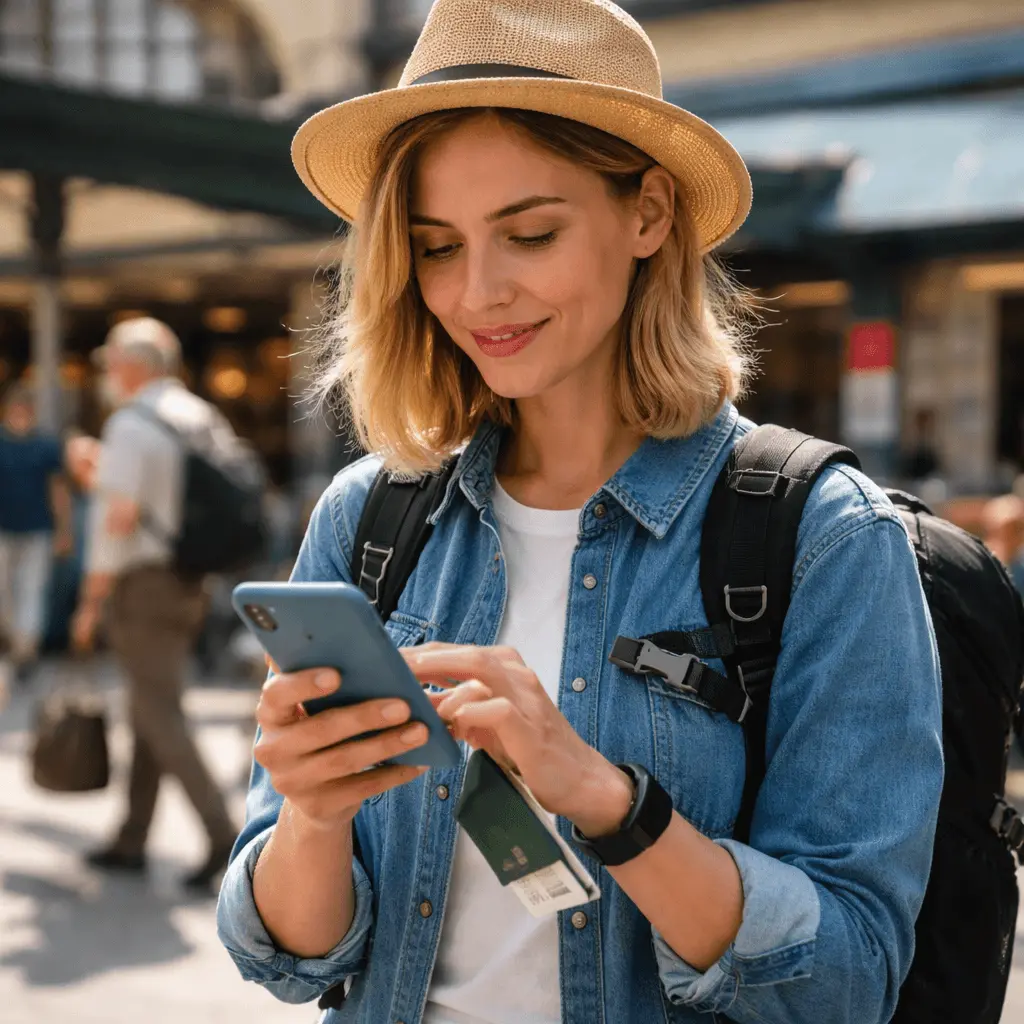
Reisen soll sich aufregend anfühlen – neue Orte, neues Essen, neue Routinen. Doch in dem Moment, in dem du eine Grenze überquerst, reist auch dein „digitales Leben“ mit. Du loggst dich in unbekannte WLAN-Netzwerke ein, nutzt Ladestationen an Flughäfen, scannst QR-Codes, holst dein Smartphone in Menschenmengen heraus und verlässt dich für alles auf Apps – vom Banking bis zur Bordkarte.
Genau deshalb muss Reisesicherheit nichts mit Paranoia zu tun haben. Es geht vielmehr um ein paar einfache Gewohnheiten, die dein Risiko deutlich reduzieren – ohne dass sich deine Reise wie ein IT-Sicherheitskurs anfühlt. Und ja, eine eSIM kann einige dieser Gewohnheiten sogar erleichtern.
Bleiben wir praktisch.
Warum Reisesicherheit anders ist (auch wenn du zu Hause vorsichtig bist)
Zu Hause sind deine Smartphone-Gewohnheiten meist konstant. Du verbindest dich mit denselben Netzwerken, kennst deine Umgebung und bist selten in Eile. Auf Reisen ändert sich das:
Du verbindest dich schneller mit verfügbarem WLAN. Du nutzt eher öffentliche Ladepunkte. Du bist abgelenkt von Wegbeschreibungen, Tickets, Gepäck und Sprachbarrieren. Und wenn etwas schiefgeht – etwa wenn dein Handy verloren geht oder ein Konto gesperrt wird – ist es aus der Ferne oft schwieriger, das Problem zu lösen.
Das Ziel ist nicht, „unhackbar“ zu sein. Das Ziel ist, ein schwierigeres Ziel zu sein als der durchschnittliche Reisende.
Wo eSIM in die Reisesicherheit passt
Eine eSIM ist eine digitale SIM, mit der du mobile Daten aktivieren kannst, ohne eine physische SIM-Karte zu wechseln. Diese Bequemlichkeit bringt auch einige Sicherheitsvorteile mit sich:
Weniger SIM-Wechsel = weniger Risiko, deine Heim-SIM zu verlieren.
Viele Reiseprobleme entstehen, wenn Menschen ihre Haupt-SIM herausnehmen, „sicher verstauen“ – und sie dann verschwindet. Ist diese SIM mit Banking und Konten (SMS-Verifizierung) verknüpft, kann das ernsthafte Folgen haben.
Du kannst deine Hauptnummer für Verifizierungen aktiv lassen.
Je nach Setup (vor allem bei Dual-SIM-Geräten) kannst du deine primäre SIM für Anrufe und SMS nutzen, während die eSIM die Reisedaten übernimmt. So empfängst du Verifizierungscodes oder Kontobenachrichtigungen und vermeidest gleichzeitig Roamingkosten.
Du bekommst schnell Daten, ohne nach einem Shop suchen zu müssen.
Je weniger Zeit du damit verbringst, in überfüllten Flughäfen oder Touristengebieten nach einem SIM-Laden zu suchen, desto geringer ist das Risiko für Betrug oder überstürzte Entscheidungen.
eSIM ist kein Zauberschild. Aber sie unterstützt ein aufgeräumtes, ruhiges Setup – und genau das mag Sicherheit.
Die „vor der Reise“-Sicherheitscheckliste, die wirklich zählt
Die meisten Sicherheitsprobleme lassen sich leichter verhindern als beheben. Zehn Minuten Vorbereitung vor der Abreise können dir später Stunden an Stress ersparen.
Konten absichern (kurz und effektiv)
Wenn du nur eine Sache erledigst, dann diese: Aktiviere die Zwei-Faktor-Authentifizierung (2FA) für deine wichtigsten Konten – E-Mail, Banking, Social Media und alles mit Zahlungsbezug.
Überprüfe anschließend deine Wiederherstellungsoptionen. Viele vergessen, dass ein gestohlenes Smartphone schnell zu Identitätsdiebstahl führen kann, wenn E-Mail-Zugänge oder Passwort-Resets möglich sind.
Ein einfacher Ansatz:
• Authentifizierungs-App nutzen, wenn möglich (sicherer als SMS).
• Wiederherstellungs-E-Mail und -Nummern aktualisieren.
• Backup-Codes sicher speichern (nicht als Screenshot auf dem Handy).
Smartphone und Apps aktualisieren
Langweilig, aber wirkungsvoll. Updates schließen oft Sicherheitslücken. Erledige das vor der Reise, damit du keine großen Downloads über unsichere Netzwerke laden musst.
„Mein Gerät finden“-Funktionen aktivieren
Auf dem iPhone: „Mein iPhone suchen“.
Auf Android: „Mein Gerät finden“.
Stelle sicher, dass Ortungsdienste aktiviert sind. Bei Verlust kann das den Unterschied zwischen „kleinem Ärger“ und „reisegefährdender Krise“ machen.
Starke Bildschirmsperre setzen
Eine 4-stellige PIN ist besser als nichts, aber ein stärkerer Code (oder Biometrie + Code) ist sicherer. Zusätzlich:
• Automatische Sperre kurz einstellen (30 Sekunden bis 1 Minute).
• Vorschauen sensibler Benachrichtigungen auf dem Sperrbildschirm deaktivieren, wenn du mehr Privatsphäre möchtest.
Die größten Reiserisiken (und die Gewohnheiten, die sie reduzieren)
1) Öffentliches WLAN: bequem, aber mit Haken
Öffentliches WLAN ist nicht automatisch gefährlich, aber oft unverschlüsselt oder schlecht verwaltet. Das Risiko ist am höchsten bei Logins, Zahlungen oder sensiblen Daten.
Die einfachste Gewohnheit: mobile Daten nutzen, wenn es wichtig ist.
Hier spielt eSIM ihre Stärke aus. Statt dich in zufällige Netzwerke in Cafés, Flughäfen oder Hotels einzuloggen, nutzt du deine eigene Datenverbindung für Navigation, Buchungsbestätigungen und kurze Logins.
Wenn du WLAN nutzt, behandle es wie einen öffentlichen Raum:
• Kein Banking über öffentliches WLAN.
• Passwörter nur eingeben, wenn es nicht anders geht.
• Vorsicht bei Netzwerken mit vagen Namen wie „Free Airport WiFi 2“.
2) Gefälschte QR-Codes und „hilfsbereite“ Fremde
Reisende scannen ständig QR-Codes – für Menüs, Tickets, Touren, Zahlungen. Betrüger wissen das. Ein gefälschter QR-Code über einem echten kann zu einer täuschend echten Phishing-Seite führen.
Einfache Gewohnheit: drei Sekunden pausieren.
Vor dem Scannen oder Klicken:
• URL prüfen, bevor du Daten eingibst.
• Bei Login-Aufforderungen Domain genau ansehen.
• Im Zweifel die Website manuell eingeben oder die offizielle App nutzen.
3) Ladestationen und Kabel-Risiken
Öffentliche USB-Anschlüsse können riskant sein. Nicht häufig – aber leicht zu vermeiden.
Die Gewohnheit: eigenes Ladegerät + Steckdose nutzen oder eine Powerbank mitnehmen.
Falls du öffentliche Stationen nutzt, sorgt ein „Charge-only“-Kabel oder USB-Datenblocker für zusätzliche Sicherheit.
4) Handydiebstahl und Schulterblick
In vollen Gegenden geht es Dieben um Geschwindigkeit und Gelegenheit. Wer deinen PIN sieht oder ein entsperrtes Handy greift, hat bereits halb gewonnen.
Die Gewohnheit: Mach dein Handy in der Öffentlichkeit „langweilig“.
• Nicht mit dem Handy am Straßenrand oder an Verkehrstüren stehen bleiben.
• Zum Kartencheck an einen sichereren Ort gehen.
• Passwörter nicht in Menschenmengen eingeben.
Ein sauberes Reise-Setup: Haupt-SIM + eSIM-Daten
Wenn dein Smartphone Dual-SIM unterstützt (viele tun das), ist folgende Kombination sinnvoll:
• Haupt-SIM aktiv für Anrufe/SMS (vor allem für Verifizierungscodes).
• eSIM für Reisedaten, um Roaming zu vermeiden und weniger auf WLAN angewiesen zu sein.
Dieses Setup ist bequem und sicher: Deine Konten bleiben erreichbar, während du über deine eigene Datenverbindung online bist.
Wichtig: Wenn du stark auf SMS-Verifizierung angewiesen bist, schütze deine Hauptnummer wie einen Schlüssel zu deinem digitalen Leben – denn genau das ist sie oft.
Alltägliche Sicherheitsgewohnheiten auf Reisen (ohne Aufwand)
Sicherheitsroutinen sollten dich nicht ausbremsen. Diese Gewohnheiten passen problemlos in den Reisealltag:
Mobile Daten für „wichtige Momente“ nutzen.
Tickets, Zahlungen, Logins, Banking, Kontowiederherstellung – wenn möglich über deine Datenverbindung.
Nicht alles an einem Ort speichern.
Wenn Passkopien, Kreditkarten und Backup-Codes alle auf deinem Handy sind, wird es zum Single Point of Failure. Kritische Backups besser getrennt sichern (Cloud, Passwortmanager oder sicher aufbewahrte Kopie).
Passwortmanager nutzen (auch einen einfachen).
Starke, einzigartige Passwörter sind auf Reisen besonders wichtig, da du dich häufiger in unbekannte Netzwerke einloggst.
Bluetooth- und AirDrop-ähnliche Freigaben im Blick behalten.
Nicht alles dauerhaft deaktivieren, aber Gerätesichtbarkeit in Menschenmengen nicht unnötig offen lassen.
Wenn dein Handy verloren geht oder gestohlen wird: Erste Schritte
Jetzt zahlt sich ein Plan aus.
„Mein Gerät finden“ sofort nutzen.
Lokalisieren, sperren oder löschen, wenn nötig.
Wichtige Passwörter ändern.
Beginne mit deiner E-Mail – wer Zugriff darauf hat, kann vieles andere zurücksetzen.
Mobilfunkanbieter kontaktieren, falls nötig.
Wenn deine Haupt-SIM gefährdet ist, kann eine Sperrung sinnvoll sein.
Bank informieren, wenn Zahlungsrisiken bestehen.
Lieber einmal zu viel reagieren als Tage später ein Problem entdecken.
Mit einer eSIM für Reisedaten kannst du oft verbunden bleiben und diese Schritte schnell erledigen – ohne hektisch WLAN oder einen Shop suchen zu müssen.
Die ruhige Erkenntnis: Sicherheit heißt, „einfache Angriffe“ zu vermeiden
Perfekte Reisesicherheit brauchst du nicht. Du brauchst weniger Schwachstellen.
Wenn du mobile Daten statt zufälligem WLAN nutzt, deine Hauptnummer erreichbar, aber geschützt hältst, QR-Codes nicht im Eiltempo scannst und eine starke Bildschirmsperre hast, machst du bereits mehr richtig als die meisten Reisenden.
Eine eSIM unterstützt dieses ruhigere, kontrolliertere Reise-Setup: weniger SIM-Wechsel, schnellere Konnektivität und geringere Abhängigkeit von öffentlichen Netzwerken. In Kombination mit ein paar einfachen Gewohnheiten ist das ein unkompliziertes Upgrade für deine Art zu reisen.
Bereit, smarter zu reisen?
Unsere App herunterladen, um dich in wenigen Minuten einzurichten und deine Konnektivität überall zu verwalten. Und wenn du bald verreist, unsere eSIMs ansehen, um einen Datentarif zu finden, der zu deinem Reiseziel und Reisestil passt – damit du verbunden bleibst, ganz ohne Stress.